Sunday, November 1, 2020

Micromax Gives Sneak Peek At What A Racist Tech World Would Look Like

Micromax calls itself a leading consumer electronics company in India with a special connection to youth. According to me, the company just crossed a line to cash in on the anti-China sentiment making rounds in India.

Micromax recently sent out a media kit for its new “In” series of smartphones. Promoting the lineup as a “bonafide Indian choice,” the kit boasts the tagline “Aao Karein Cheeni Kum.” In India, the word “Cheeni” is used for sugar as well as “Chinese.” With this tagline, Micromax basically sent out the message – Come let’s reduce the Chinese.

Such Racist, Much Wow

Now that I have your attention, it’s not funny. India and China have been in a border conflict for months now, resulting in both countries taking economic hits and suffering a loss of lives. India even banned a bunch of Chinese apps, labeling them as security threats. Thanks to the border tensions and polarized citizens, an anti-China sentiment has been brewing in the country.

While it’s one thing for politicians and the angry common man, a company must hold on to some decency, no matter how much it can profit by letting go of it. Micromax’s In series is a completely Indian phone, says the company, and we get it. However, it’s absolutely wrong to cash in on the sentiments of agitated Indians.

Micromax #InMobiles

The whole media kit and tweets are built around the new Micromax In Mobile series. We don’t know much about the phone, except that the phones in this lineup are made in India, or at least assembled here. For the uninitiated, Micromax started off in India by importing phones from China, branding them with their logo, and selling them to the Indian audience.

The gig didn’t last long and Micromax vanished from the market, till we heard about the company again. This time, the Indian government chose it as one of the Indian tech companies to receive special incentives under the PLI scheme. It’s safe to say that the Micromax In mobile series is the company’s push to contribute to the total goal of domestic production worth $17 billion.

Micromax, You’re Not Alone!

Sadly so. It’s not just Micromax that is trying to push a product to the Indian audience. The recent PubG ban was also followed by an Indian alternative, FAU-G. The game’s recently released teaser featured a showdown between Indian and Chinese troops, with Indian troops emerging victorious.

While it makes no sense to compare PubG and FAU-G, the latter looks like a story campaign designed to push a narrative. The narrative is again cashing in on anti-China sentiment. All of this feels like companies are trying to make money off the conflict.

It’s good to make in India. If the Indian manufacturing industry is taking this initiative seriously, the market is literally immeasurable. However, there are certain lines that must not be crossed. In the recent past, there were instances where people from North-East India faced racism because of the anti-China outlook and an extremely polarized viewpoint of some Indians.

Race And Tech

If you look at any successful tech company today, you’ll see that its success includes throwing racism out the window. Google, Microsoft, Tesla, Apple, Facebook, name it and there are people of all races and countries contributing to it. This is so because technology doesn’t belong to one person or country.

An iPhone designed in California is manufactured in China and assembled in India. Users see it as an iPhone because it performs and delivers. Even if Micromax has achieved a completely Indian-manufacture and assembled smartphone, the way it’s trying to sell it is dangerous and includes a degree of manipulation of the Indian audience’s sentiment.

In the last few months, China has been blamed for COVID-19 and racist remarks have been made by the general public as well as Presidents of powerful countries. China’s government should be blamed if it’s at fault, but it’s not the fault of the Chinese people, and certainly, companies like Micromax have no right to make such a comment.

I wish my best to the Indian technology scenario. In the end, the sentiments may let some companies sell a few extra units, but the quality, performance, and user-experience of those units would matter in the long run. Let’s hope companies remember that.

The post Micromax Gives Sneak Peek At What A Racist Tech World Would Look Like appeared first on Fossbytes.


from Fossbytes https://ift.tt/3jIIayo
via IFTTT

Fastest Emulator to Play LOL Wild Rift on PC

Overview

League of Legends doesn’t require any introduction, and that goes for LOL Wild Rift too. In fact, none of RIOT’s games require any introduction. 

If you have heard of RIOT, then you know the games they offer and their quality is top-notch. The company got famous after their League of Legends release, and after that, RIOT didn’t settle for one game — they made VALORANT for PC, etc.

LOL Wild Rift for mobile devices is on its way; however, the RIOT developers are making sure that you don’t face any bug or any other issue while playing. It is also a rumor that RIOT is working on VALORANT mobile version, and if that’s true, then you are in for a big surprise. 

The renowned LOL Wild Rift is a 5v5 game with multiple game modes in which you, with four other teammates, are on a hunt where you kill enemies, destroy their turrets, and at last, the NEXUS to win the game. You have options to play with friends, family, or other players around the world. But your purpose is the same, build an unbreakable bond of cooperation with your teammates and play as a team. 

You might have heard the famous phrase “Teamwork Makes the Dream Work,” so you must combine this with your ultimate skills and dominate your enemy in a fast-paced 5v5 game. The game usually lasts for a limited time and during that time, whoever destroys the NEXUS first wins the match. During the match, you can complete tasks to get rewards at the end of the match. 

Tasks include killing a specific number of players or having double kills, triple kills, quadra kills, etc. There’s so much in the game that you can’t afford to be distracted. Every second counts, and if you are not there in team fights to help your teammates, then you won’t win. Plan all your attacks, including sneak/surprise attacks with your teammates through the in-game voice feature. You can also chat with your teammates during the fight to plan your next attack.

Playing games like Mobile Legends on PC, PUBG Mobile on PC, Call of Duty on PC, LOL Wild Rift on PC, etc., have one thing in common, and that’s an Android emulator. You will need a fast Android emulator to play all of these games and other games on PC. There are several different Android emulators available in the market, including LDPlayer, BlueStacks, GameLoop, NoxPlayer QEMU, ePSXe, etc.

Fastest Emulator to Play LOL Wild Rift on PC:

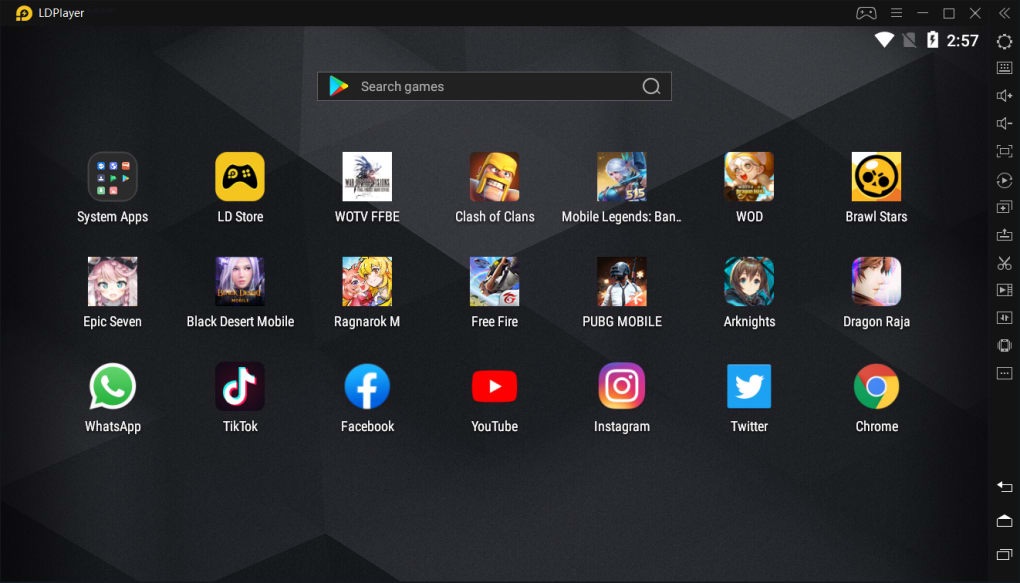
Finding an Android emulator to play mobile games on PC is straightforward but finding the fastest emulator to play LOL Wild Rift on PC is not an easy task, but your search ends here. LDPlayer is the fast emulator to play LOL Wild Rift on PC without facing PC heating, emulator crashing, and other issues. 

LDPlayer is the whole package that brings you every feature you can wish for in an Android emulator and more. The LDPlayer’s list of features is quite long and before we jump into it, let’s take a look at its past and current achievements. It is the first-ever Android emulator that brings your three huge stores in one place. Three stores include the well-known Google Play Store, Uptodown App Store, and LD Store. 

Each store has millions of android Applications, Software, eBooks, and games. Each has its ratings and user experience, which explains a lot why LDPlayer has them. The whole purpose of LDPlayer’s developers’ team is to provide the best features available. LDPlayer is the first Android emulator to successfully run PUBG Mobile within a week of its release, while other emulators were facing issues like crashing high pings, etc.

LDPlayer’s features make it the fastest emulator to play LOL Wild Rift on PC. Let us tell you what matters most in LOL Wild Rift if you haven’t played the PC version: Pings, RAM, and Processor. LDPlayer stabilizes your pings so you can have an uninterrupted gaming session. 

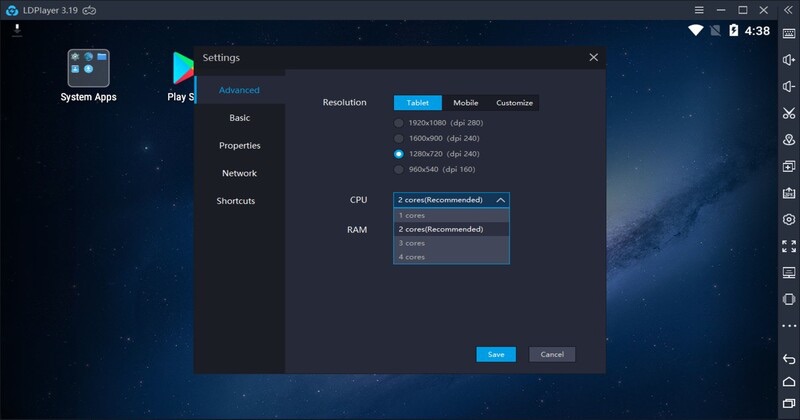
It also uses its Gamer-Oriented feature to increase your RAM and Processor potential to its max. By doing that, LDPlayer provides you the extra speed which you need in every action role-playing game because speed does matter. Do not worry as LDPlayer doesn’t harm your PC with this feature; it just pushes your RAM and Processor to its fullest. 

LDPlayer also provides 120FPS and a special boost for multiple games, making LDPlayer the fastest emulator to play LOL Wild Rift on a PC. LDPlayer also features almost every high Graphics and high-Performance game available for mobile devices. It doesn’t end here; this emulator has many more features that you can experience by yourself when you start playing games using this emulator for LOL Wild Rift.

How to download LOL Wild Rift on PC?

Downloading LOL Wild Rift on PC is quite a simple process.

  • Go to LDPlayer’s website to Download and Install the latest version of the LDPlayer emulator on your PC.
  • Sign up/log in with your Gmail account to access Google Play Services and Google Play Store. (LD Store and Uptodown App Store doesn’t require logins)
  • Go into any of your favorite stores and search for LOL Wild Rift.
  • Download and Install the game on your PC and enjoy it with the LDPlayer’s unique features.

You can also use LDPlayer’s built-in APK Installer (if you an APK file of LOL Wild Rift) to install the game on PC.

Conclusion:

LDPlayer’s achievements and features list is way too long but why read it here when you can download and install the LDPlayer emulator from its Official website with just a few taps. Download it now to check out all the features and experience it all by yourself.

LDPlayer’s features will increase your interest in gaming, enhance your gaming experience, and allow you to run any high-performance mobile game on PC without thinking twice. LDPlayer also cares about its users and provides them the best help possible regarding every question. That’s why LDPlayer has more than two Million Daily Active Users, which explains how good the LDPlayer emulator is for everything.

The post Fastest Emulator to Play LOL Wild Rift on PC appeared first on Fossbytes.


from Fossbytes https://ift.tt/3oOkHzK
via IFTTT

Windows 10 Start Menu Becomes Transparent, Thanks To A Bug

According to the screenshot posted by a Reddit user /u/xmha97, the Windows 10 Start Menu and Taskbar user interface was rendered transparent due to an unknown bug.

The user claims that the bug has appeared on his machine running a Windows Insider build. However, the user hasn’t posted the exact build number and it’s hard to guess how many users are affected if such bug exists.

It’s suggested that the said insider bug is messing up the graphics drivers, causing the Start Menu to become transparent. Although it’s a weird bug, it seems more like a feature that many would want. Some users have commented that they’d want to see it as an option.

But while it may look appealing in the beginning, a completely transparent UI won’t be entirely pleasing to some users, especially, when a graphics-rich wallpaper is present in the background.

To recall, Microsoft has made some improvements to the Windows 10 Start Menu as part of the Windows 10 October 2020 Update. But making it entirely transparent doesn’t seem to be the plan.

Nonetheless, the Reddit post has attracted some fun discussion. Do check it out!

The post Windows 10 Start Menu Becomes Transparent, Thanks To A Bug appeared first on Fossbytes.


from Fossbytes https://ift.tt/3mDLUmw
via IFTTT

Linux 5.8 Reaches End Of Life: Here’s How To Upgrade To Linux 5.9

Termed as one of the biggest Kernel releases by the creator Linus Torvalds, Linux 5.8 has now reached the end of life after maintainer Greg Kroah-Hartman announced the 5.8.18 point release.

After the release, he said, “This is the LAST 5.8.y release to be made. This branch is now end-of-life. Please move to the 5.9.y kernel branch at this point.”

Linux 5.8 was released on August 2nd, 2020, and brought tonnes of changes and improvements to the Kernel. Some of the major changes and features were; support for LZO-RLE compression in the F2F file system, a new faccessat2() system call, CAP_PERFMON functionality, inline encryption for block layer, and a new initrdmem= boot option, which can be used to specify the initial RAM disk image.

Some of the other things that it introduced are Shadow Call Stack for Arm64 architecture, a new mechanism for revoking mappings in /dev/mem, and solved the CrossTalk hardware vulnerability affecting Intel CPUs.

Also Read: Raspberry Pi 4 Gets and Impressively Solid Android 11 Port

Linux 5.9, on the other hand, also brings lots of changes such as Zstandard Compression support, inline encryption support for EXT4 and F2FS filesystems, and brings Unicore architecture to the mix.

Meanwhile, most of the rolling-release distributions have started moving to Linux 5.9 and considering it a stable kernel branch. It also brings a new rescue= mount option and performance improvements to the Btrfs file system, support for NVIDIA Tegra210 external memory controllers, support for Intel Keem Bay Movidius VPUs, and improved anonymous memory management.

Linux 5.8 End Of Life: How To Upgrade To Linux 5.9

1. Switch to /tmp directory and wget all of these links one-by-one in the terminal.

wget -c https://kernel.ubuntu.com/~kernel-ppa/mainline/v5.10-rc1/amd64/linux-headers-5.10.0-051000rc1_5.10.0-051000rc1.202010291359_all.deb

wget -c https://kernel.ubuntu.com/~kernel-ppa/mainline/v5.10-rc1/amd64/linux-headers-5.10.0-051000rc1-generic_5.10.0-051000rc1.202010291359_amd64.deb

wget -c https://kernel.ubuntu.com/~kernel-ppa/mainline/v5.10-rc1/amd64/linux-image-unsigned-5.10.0-051000rc1-generic_5.10.0-051000rc1.202010291359_amd64.deb

wget -c https://kernel.ubuntu.com/~kernel-ppa/mainline/v5.10-rc1/amd64/linux-modules-5.10.0-051000rc1-generic_5.10.0-051000rc1.202010291359_amd64.deb

2. Now, to install new kernel enter the following command

sudo dpkg -i *.deb

3. Reboot the system

sudo shutdown -r now

4. After your computer reboots, update the packages list.

sudo apt-get update

5. Upgrade Packages

sudo apt-get upgrade

6. Check for the kernel version using the command

uname -r

You should now be running the latest Linux 5.9 LTS. Do let us know in the comments section below if you face issues during the installation.

The post Linux 5.8 Reaches End Of Life: Here’s How To Upgrade To Linux 5.9 appeared first on Fossbytes.


from Fossbytes https://ift.tt/35W8Oz2
via IFTTT

Ubuntu-Based Voyager 20.10 GE Released With Linux 5.8

After the release of Ubuntu 20.10 “Groovy Gorilla” last month, other Linux distributions built on top of Ubuntu also started announcing their own updated versions based on Ubuntu 20.10 like Pop!_OS 20.10.

Along the same line, here comes yet another Ubuntu Groovy Gorilla-based distro, Voyager 20.10 GE, featuring Linux Kernel 5.8 and GNOME 3.38 desktop environment. Let’s see what Voyager 20.10 has to offer:

Voyager GE 20.10: What’s New?

If you don’t know, Voyager distro comes in two editions with different desktop environments, namely Xfce (by default) and GNOME. However, it only offers Xfce desktop in the LTS version Voyager 20.04, and this non-LTS version 20.10 featuring GNOME shell is called GE edition.

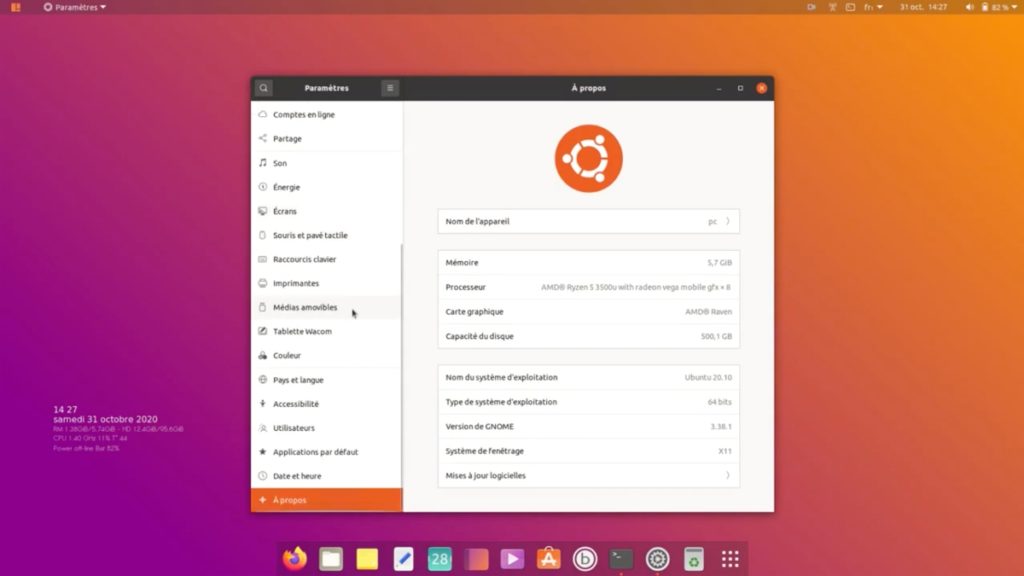
Voyager 20.10 With GNOME 3.38 and Linux 5.8

Voyager 20.10 GE is an intermediate version with nine months of package updates and security fixes. It mainly aims to prepare for the future 5-year Long-term support (LTS) version.

This advanced and customized variant of Ubuntu has all its official repositories sharing the same base, common software, the same APT repositories, and the development cycle with Ubuntu.

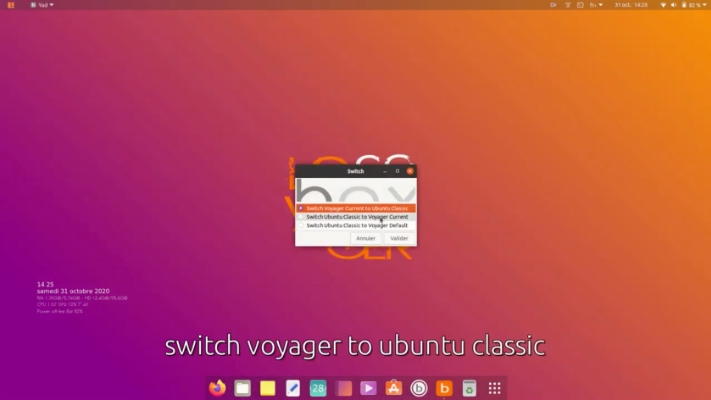
Hence, it also allows you to switch to Ubuntu classic and vice-versa inside the Voyager distro using the Box Voyager GUI tool.

Switch Voyager to Ubuntu classic

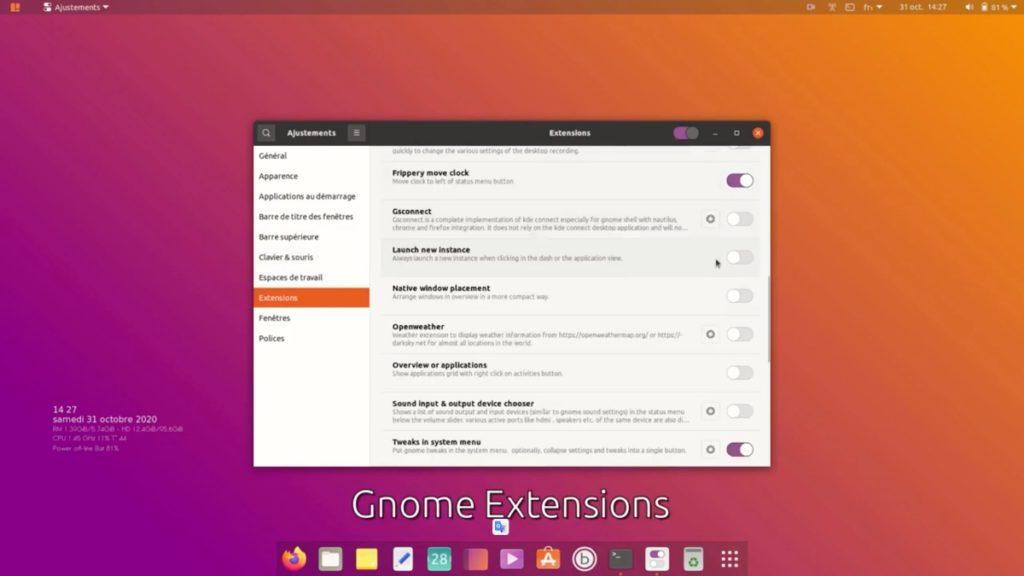
Along with GNOME shell 3.38, which brings a lot of exciting features, Voyager 20.10 gives you several GNOME extensions pre-installed and scripts grouped in a Box to optimize the system with a choice of the necessary software.

Preinstalled GNOME extensions

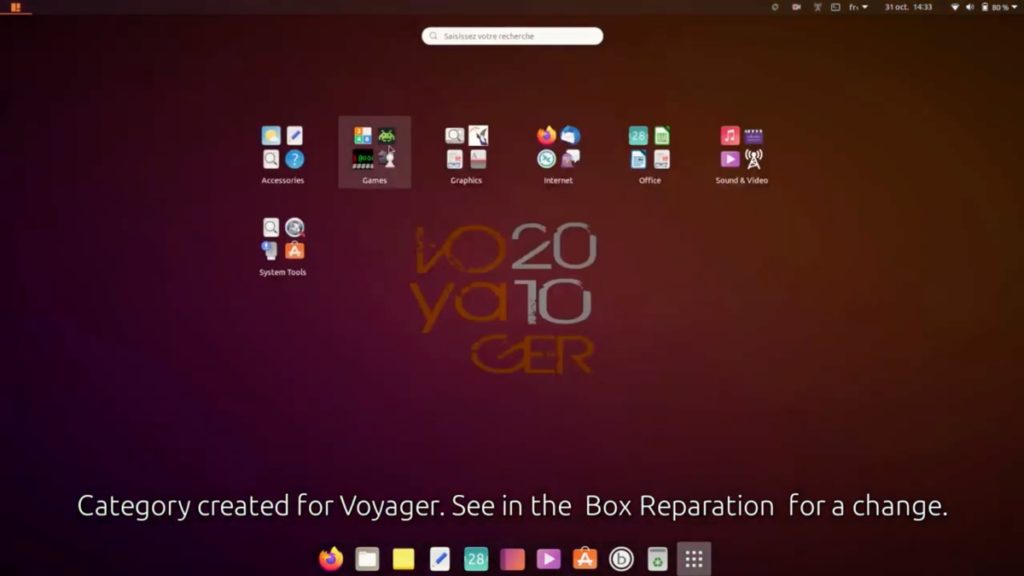
Though with GNOME 3.38, you no longer have a frequent tab, Voyager already comes with apps placed in a relevant category.

Category

Here, you can have a look at a summary of features Voyager 20.10 GE brings to the table:

How To Get Voyager 20.10 GE?

Lastly, if you want to try it out right now, meet the recommended system requirements of 2GB of RAM, 25GB of free disk space, 2GHz dual processor, and then download the ISO image.

Next, create the Voyager Linux live USB by flashing images to a USB drive. Then boot and follow the installation instructions almost similar to Ubuntu.

The post Ubuntu-Based Voyager 20.10 GE Released With Linux 5.8 appeared first on Fossbytes.


from Fossbytes https://ift.tt/3kNnJlm
via IFTTT

GNOME Sushi Doesn’t Work in Ubuntu 20.10, But There is a Fix

GNOME Sushi video previewGNOME Sushi doesn't work on Ubuntu 20.10, failing to preview anything. A workaround is available for those willing to put in the effort to get it working.

This post, GNOME Sushi Doesn’t Work in Ubuntu 20.10, But There is a Fix is from OMG! Ubuntu!. Do not reproduce elsewhere without permission.


from OMG! Ubuntu! https://ift.tt/3jIuovG
via IFTTT

Distribution Release: ArchBang Linux 0111

ArchBang developer "mrgreen" has announced the release of ArchBang Linux 0111, the minimalist, Arch Linux-based distribution's first stable release after the recent switch from Openbox to i3 as the preferred window manager. From the release announcement: "November release, i3 tiling window manager based. Have just uploaded a....

from DistroWatch.com: News https://ift.tt/2HRHCsX
via IFTTT

Playing Grand Theft Auto Inside A Neural Network’s Hallucination? It’s Possible!

Ever imagined what a Neural Network's hallucination would look like? The post Playing Grand Theft Auto Inside A Neural Network’s Halluc...